Why I'm Building MediaBeast (And Why I Stopped Trying to Replace Bluray.com)
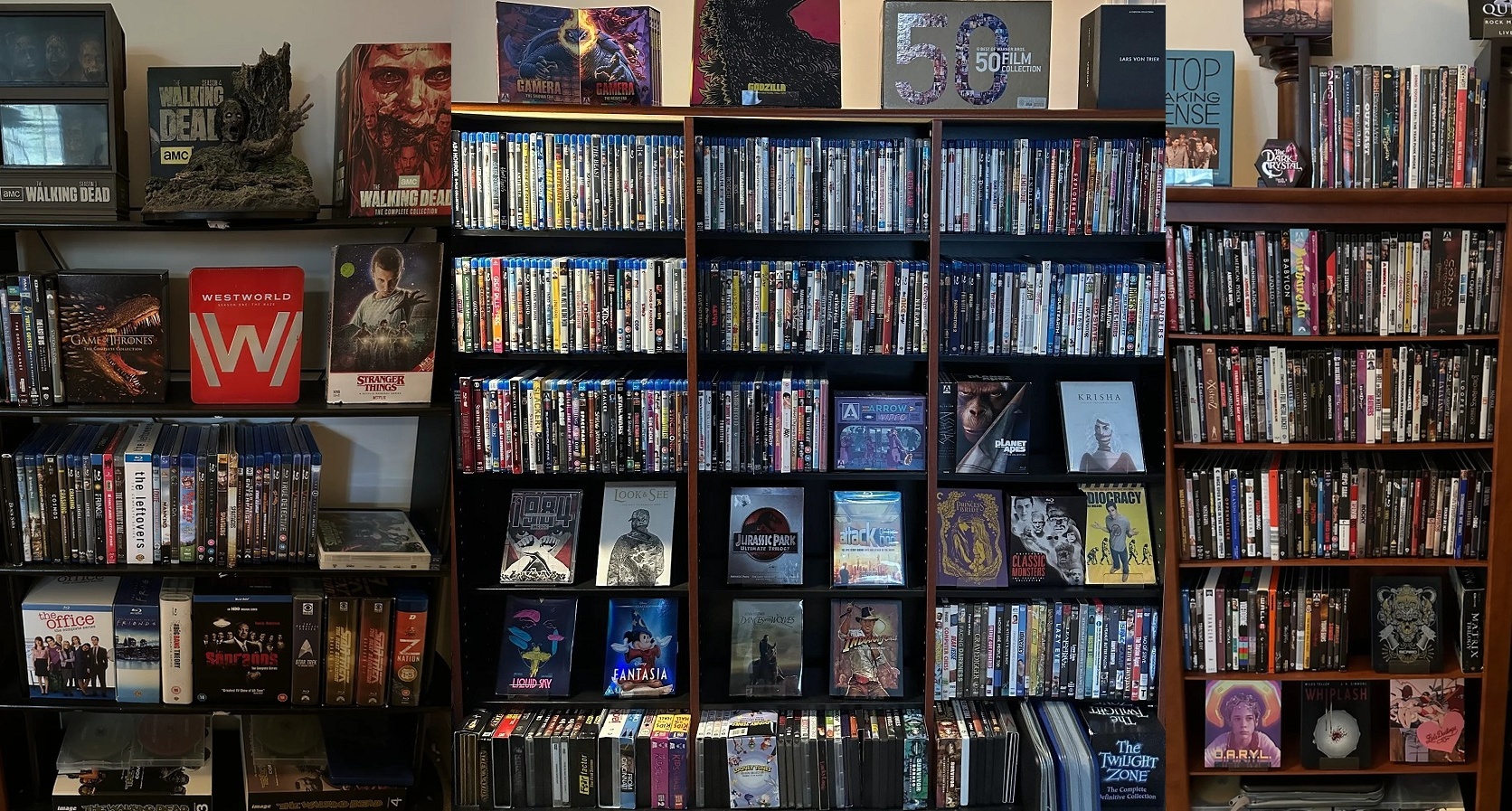
I’m a computer nerd with a movie collection that I obsess over.
Like Vinyl, Movie collections are both functional and aesthetic. They are personal. Only “rewatchables” and movies that I have a personal connection to make the cut into my collection, I am not a boutique / set chaser (although I respect them!) My movies are not just inventory—they’re comfort, nostalgia, joy, sometimes sadness, sometimes simple, braindead fun. Whatever the mood calls for, I can reach into my collection and find something. Movies to share with friends and family when we want to cuddle up on the couch. Movies that shaped how I see the world.
And it’s not just the films themselves. It’s the artwork—poster art, box art, steelbook spines lined up on a shelf. It’s chasing down a director’s whole filmography. It’s hunting for every Winona Ryder movie (even the bad ones) because she is just… one of my people.
I’ve been collecting since I was 12. Back then it was Commodore 64 floppies—my dad and I built a massive wooden box that held 800 of them. It was full. Sport cards came and went with my brothers, but movies always stuck. I’ll admit I strayed for about 10 years as a pure streamer, seduced by the convenience. But I came back when I realized the empty promise of streaming: compressed quality, disappearing catalogs, no real ownership.
The Three Types of Collectors
Movie collectors mostly fall into three camps:
Streamers — Everything lives in the cloud. Netflix, Criterion Channel, whatever. Convenient, but you don’t really own anything. And honestly? These people don’t track their collections. They would probably read everything I’m about to write and think it’s complete nonsense and a total waste of time. This is 99% of the world, and if that’s you, I respect it—you might find all of this humorous or interesting anyway.
Physical media — Blu-rays, 4Ks, DVDs, maybe even VHS if you’re nostalgic like that. You own it. You can hold it. It looks beautiful on a shelf.
Home theater / HTPC — Files on your hard drive or NAS. Typically backups of physical media you own. Plex, Jellyfin, your own server. Full control, watch anywhere in your house.
I live in all three. Physical is my first love, but I also run an HTPC setup, and I stream when there’s no other option. My collection spans all of it.
And that’s where the problems start.
The Tool Landscape (Or: Why Everything Is Siloed)
Here’s the thing—there are actually great tools for tracking your collection. And they’re free.
For physical media: Bluray.com / My Movies. Open the app, scan a UPC code, boom—there’s your exact disc with full details, cover art, community discussions. Add to collection. Done. It’s magic.
For files: Tiny Media Manager (TMM). Powerful metadata management, integrates with Jellyfin/Plex, handles your whole library. It’s the gold standard for HTPC collectors.
For streaming: …well, there’s not really a great option unless that’s all you do. Bluray.com does some of this. Maybe Letterboxd if you hack around it. It’s a gap.
For all three unified: Nothing. Doesn’t exist.
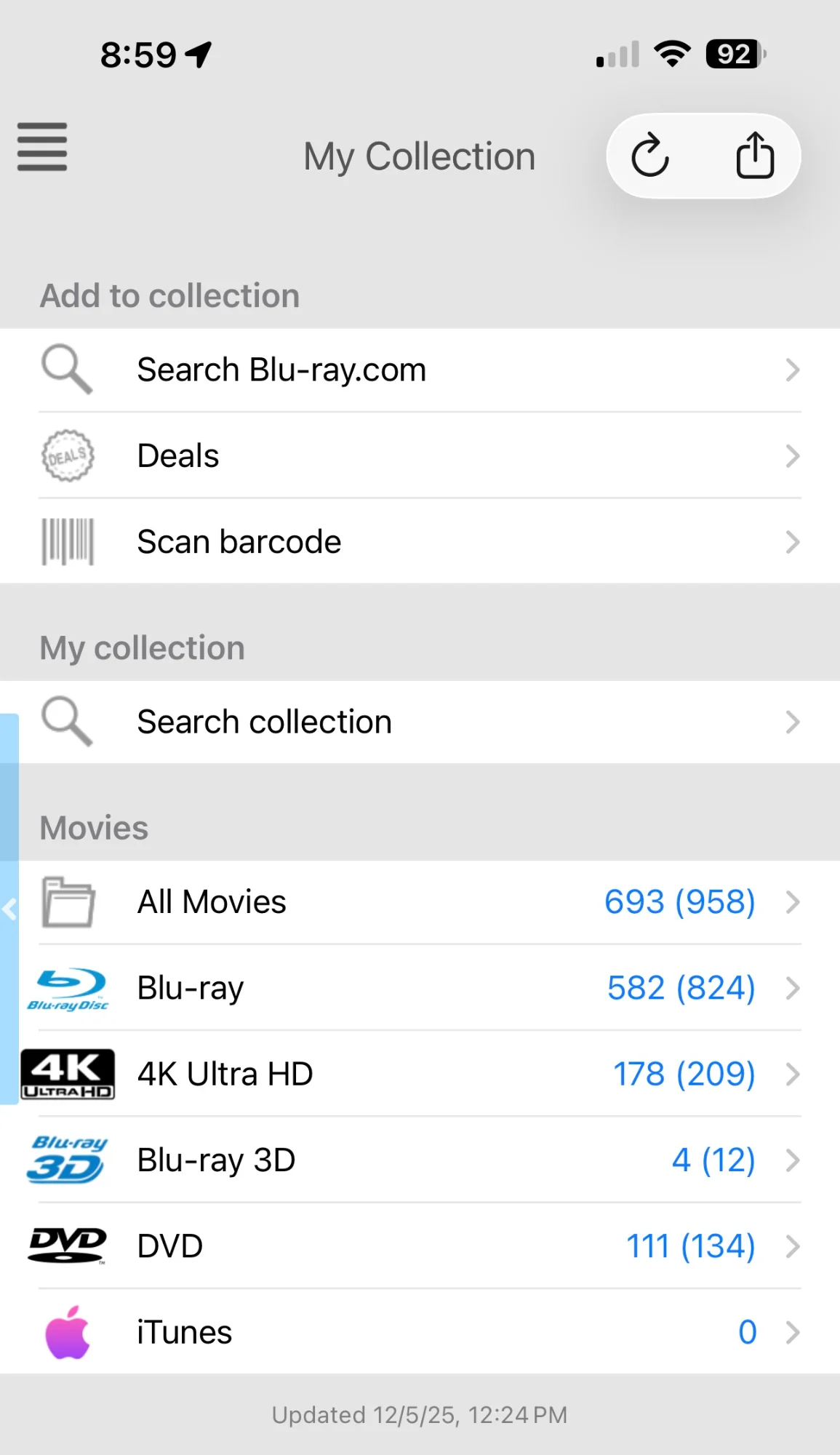
Bluray.com My Movies phone app. 958 movies on Physical Media… one tap to scan UPC and add.
Why I Can’t Just Build a Better Bluray.com
I spent a year trying to solve this. Build my own unified movie collection management app leveraging a third-party database or with my own database. One tool to rule them all. TMDB and others make movie data lookups trivial, but physical media…. is a problem. Bluray.com’s real product isn’t the app. It’s the database.
They have a proprietary mapping of millions of UPC codes to full movie records—artwork, cast, crew, disc specs, editions, variants, imports, everything. They built this starting around 2006-2008, when the physical media market was at its peak of $16 billion. First-mover advantage, plus a passionate community contributing data during the Blu-ray boom.
Now? Physical media has collapsed to under $1 billion in 2024—a 94% drop. Nobody’s going to invest in building a competing UPC database from scratch. The economics are completely upside down. That ship sailed.
Bluray.com’s database is an unassailable moat. You can’t out-bluray bluray.com.
And I’m not even mentioning CLZ Movies, which is paid and has its own similar story for its database. I used it for a year. It’s solid. People love it. I don’t. That’s another post.
What I Love (and Hate) About Bluray.com
Since I’m stuck with it, let me be specific.
What’s great:
- Scan UPC → instant match → add to collection. This flow is perfect.
- The database is the most detailed anywhere for physical releases.
- Community discussions on specific releases.
- It’s free.
What’s just okay:
- Public sharing is all-or-nothing and kind of janky.
- The web app and phone app have different features and don’t match.
- The phone app randomly sends you to a web browser.
What I hate:
- You can’t add movies not already in their database. If they don’t have it, you’re stuck. There’s technically a process, but it’s painful and often just doesn’t work.
That last one is the killer. Bluray.com seems to be designed around affiliate link monetization—every movie in your collection is a potential Amazon click-through. Letting you add arbitrary items would break that model. I get it. I’m not hating on them. But it means I can’t track everything there.
I actually used Libib for a while as a secondary tracker for movies Bluray.com wouldn’t let me add. It’s flexible, has web and phone apps, works fine—but it was just filling a tiny gap and was a pain to have yet another tool added to my movie collecting repertoire.
The Letterboxd Problem
One more thing: Reviews and community.
I hang out in movie communities, especially physical media focused ones. Disc-connected is my favorite. And here in 2025, the serious film people are on Letterboxd.
IMDB reviews are fine, but Letterboxd is where the actual film heads live. The reviews are more thoughtful, the lists are curated with intention, and linking your Letterboxd profile signals you’re serious about film.
But here’s the disconnect: Bluray.com and TMM are both IMDB/TMDB-brained. There’s no clean way to connect your collection to your Letterboxd presence. Some people try to use Letterboxd for collection tracking, but you have to hack around it—and Letterboxd will never support scanning a Blu-ray UPC. That’s not their mission.
So we’ve got:
- Bluray.com = physical media only, locked ecosystem, can’t add items not in their catalog
- TMM = files only, TMDB/IMDB metadata, desktop-locked
- Letterboxd = film culture, reviews, community—but no real collection tracking
And me, living across all three.
The Pivot: What If TMM Is the Hub?
The insight came when I stopped trying to replace these tools and started thinking about bridging them.
TMM can hold everything. Very File-centric, but there is support for Physical media entries if you don’t mind a little extra work (using their “Offline” source and “.disc” files). Even Streaming entries with a little creative directory structure. It’s not locked to a UPC database. You can add whatever you want. It’s powerful, flexible, and free.
The problems are:
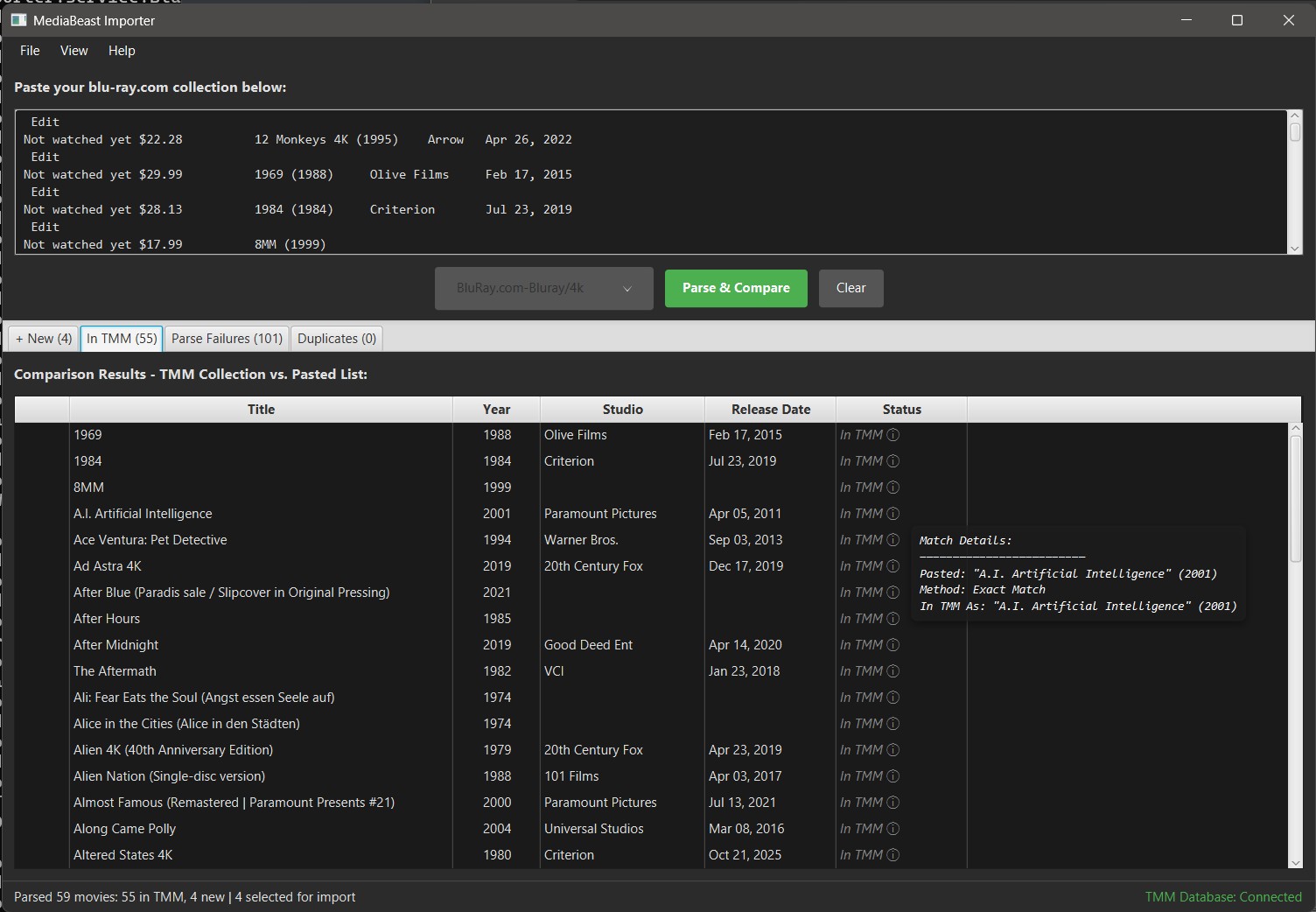
- Getting data INTO TMM from other sources is manual and painful.
- TMM is powerful but not pretty—it’s a desktop app for power users.
- TMM libraries are locked to your PC—you can’t share them with the world.
What if I tried to build bridges to solve those three problems instead of trying to rebuild bluray.com’s database?
MediaBeast: The Suite
That’s what MediaBeast is. Three tools that turn TMM into the unified hub it should be. Please note, the screenshots below are early pre-release of these apps in their current state. They will be going up on github soon, starting with Mediabeast Publisher.
MediaBeast Importer
Gets your data OUT of the walled gardens and INTO TMM. I built an early prototype with scripts to do this for my first pass—pulling from bluray.com exports, Letterboxd, spreadsheets. Then I realized I could make this into a tool for others who might not be technical enough to write their own scripts (or even if they are technical but don’t want to spend that much time!)
MediaBeast Templates
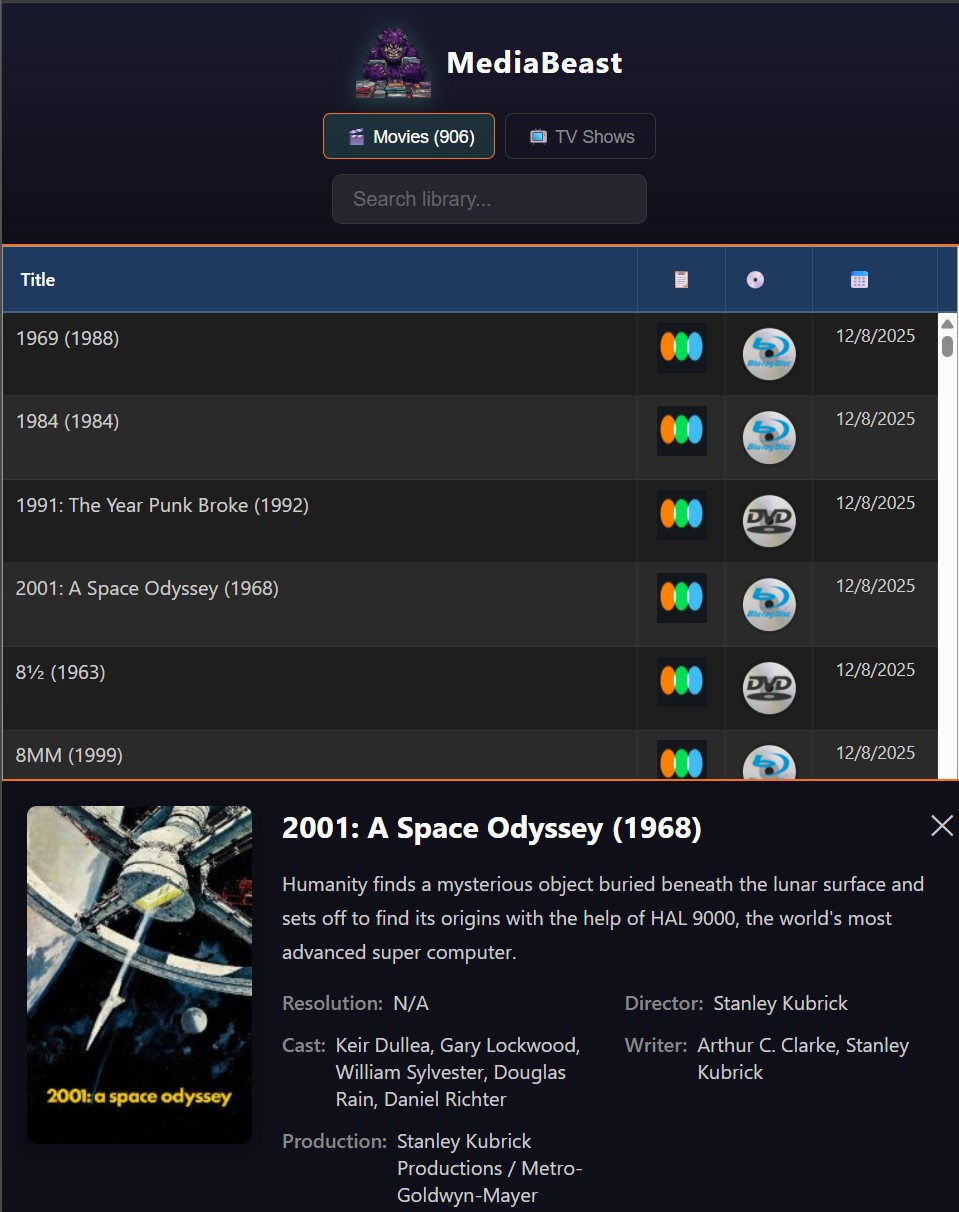
TMM can export your library to HTML, but the default templates are… functional at best. First pass at MediaBeast Export templates for TMM was born. Leveraging Tabulator. Deep search your library (director, actors), Letterboxd links, Media type, tap any title for full details. Designed for mobile. Make the export pages exactly what users want.
MediaBeast Publisher
One-click publish your TMM library to “the cloud” via Netlify. Free hosting. Your whole collection—physical, files, streaming—viewable by anyone, anywhere. Desktop app, one-click deployment, storage tracking. Currently pushing to Netlify free account with a single API key. Once OAuth is implemented, will be pushing to github!
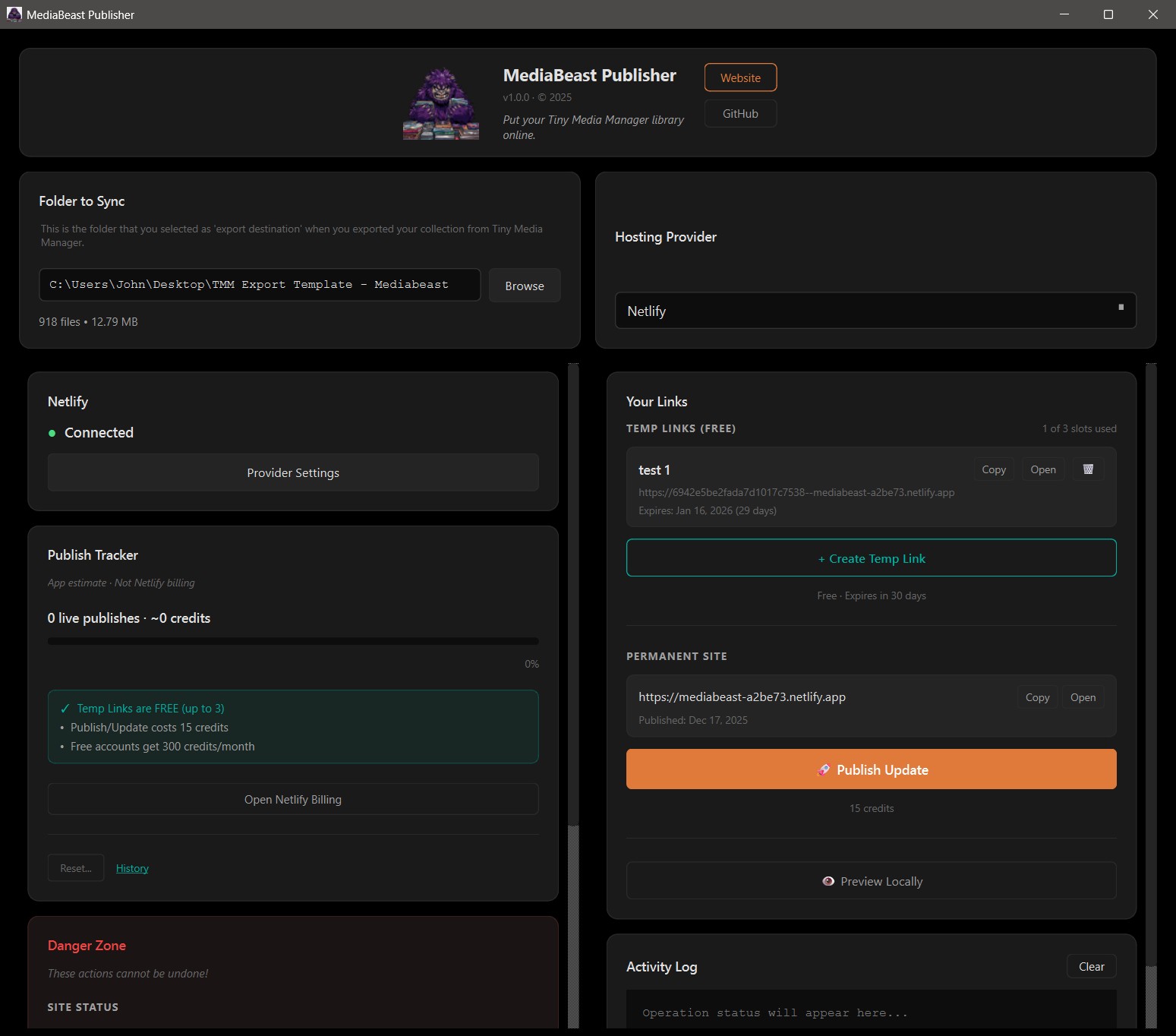
No more “all or nothing” janky sharing. No more desktop-locked libraries. Your collection, on the web, for free, without being a web developer.
My Setup Now
| Category | Intake Tool | Hub | Output |
|---|---|---|---|
| Physical | Bluray.com (UPC scan) | → TMM via Importer | → MediaBeast Publisher → Web |
| Files | TMM directly | TMM | → MediaBeast Publisher → Web |
| Streaming | Movies Anywhere, Amazon, etc. | → TMM via Importer | → MediaBeast Publisher → Web |
Bluray.com stays in its lane—it’s still the best way to scan and catalog physical media. But my data doesn’t stay trapped there. It flows into TMM, gets unified with my files and streaming entries, and then goes live on the web for me to share.
If You Want to Follow Along
I know this is niche. I’m not under any illusions that millions of people are going to care about super-powerful-but-a-bit-too-complicated movie collection management software. Most people are happy just streaming.
But I think there are at least dozens of folks out there… People who are tech-savvy enough to install a program, sign up for an account… but not necessarily developers. People who truly geek out on movie collecting and want something better than what exists.
If that’s you, here’s what you can do right now:
- Try Bluray.com / My Movies if you collect physical media and haven’t yet. It’s free and the UPC scanning is genuinely great. They have an Android and iPhone app.
- Install Tiny Media Manager and poke around. It’s powerful and free.
- Follow along as MediaBeast Suite rolls out. Watch the journey. Give feedback. Be part of the community.
I’m excited to begin this journey. If you’re reading this and nodding along, I hope you’ll come along for the ride. I’ll have a Discord up soon for anyone who wants to get involved early.