Added TV Shows to Template and Movies Anywhere to Importer
MediaBeast Templates: Added TV Show Support
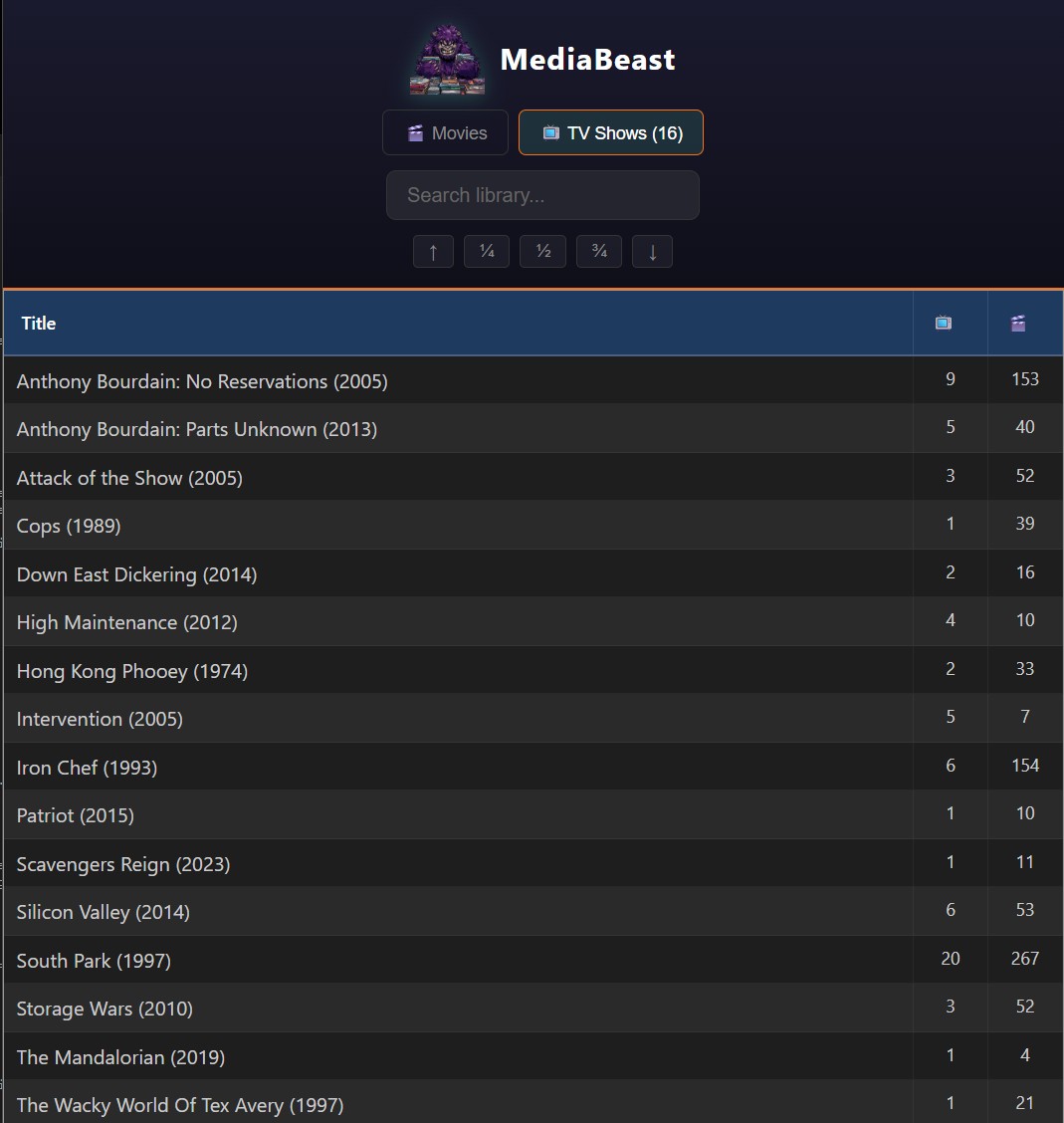
Added TV show support to the MediaBeast template. Separate template.conf with type=tv_show, different JMTE iterator (${foreach tvShows show} instead of ${foreach movies movie}), cross-nav links between Movies and TV tabs.
Important limitation: TMM’s “offline” feature only exists for movies. When you create an offline movie, TMM generates a .disc file that acts as a placeholder for physical media you haven’t ripped. TV shows don’t have this. There’s no “Create new offline TV show” button. No .disc equivalent.
So TV support in MediaBeast Templates is more of a “nice to have.” It displays whatever TV shows you have in TMM, but there’s no clean way to track physical TV collections the way the movie workflow handles Blu-rays via .disc files. I’m more focused on movies personally anyway. If others want richer TV functionality and the built-in TMM templates don’t cut it, maybe I’ll dig deeper later. Good enough for now.
Tabulator virtual DOM bug:
Scrolling on mobile broke alternating row colors. First screenful looked fine, then colors started flickering, then all rows went gray.
Tabulator uses virtual DOM row recycling. It reuses DOM elements for different data rows as you scroll. My CSS used :nth-child(even) which targets DOM position, not data position. Row #500 rendered in DOM element #3 gets the wrong color.
Tabulator provides .tabulator-row-odd and .tabulator-row-even classes based on data index. Removed the :nth-child rule, kept the class-based rules. Fixed.
Jump navigation:
Added buttons below search: ↑ ¼ ½ ¾ ↓
Jump to top, 25%, 50%, 75%, bottom. Uses filtered row count so jumps work correctly when searching.
Mobile issue: buttons highlighted on tap but didn’t scroll. scrollToRow() doesn’t work reliably on mobile. Switched to scrollIntoView(). Works now.
MediaBeast Publisher: Movies Anywhere Import
Added browser automation to import from Movies Anywhere.
Movies Anywhere has no export, no API, no CSV. Just a Windows app with a scroll list. Publisher now launches the app, iterates through the library, and scrapes each title. Progress shows in real-time: “Getting details 67/96: Bohemian Rhapsody.”
For each movie: captures title, year, format info (4K, HDR, etc.). Generates .disc files with [Stream] source tag. TMM scrapes them like any other offline movie. Physical discs come from blu-ray.com via the Importer. HTPC files are already in TMM. Digital purchases now slot in the same way.
MediaBeast Publisher is by far the most complex part of MediaBeast Suite, it actually reads the TMM Database to compare your collection to what you are importing to support clean merges. This tool is still very “early”. I used it to do my initial collection import from bluray.com My Movies (copied and pasted- not TOS violation and respects the spirit of their ecosystem / walled garden). And I use it to add movies as I buy them, it works great! And now I have used it to import my own Movies Anywhere streaming movies as .disc files But it requires me to log in to my Movies Anywhere account (with around 100 movies that I own) so this is more of an internal tool, than one for public consumption. I know I wouldn’t want to use a tool that I typed my login into even if it was open source it would seem “suss” so when I eventually (one day) make the push to put Publisher on github I will have to rethink this. Since Movies Anywhere and similar cloud providers don’t typically offer OATH type support, maybe it will have a browser extension component? More to come…