WhiteboardQ - From Demo to Durable
WhiteboardQ - from demo to durable
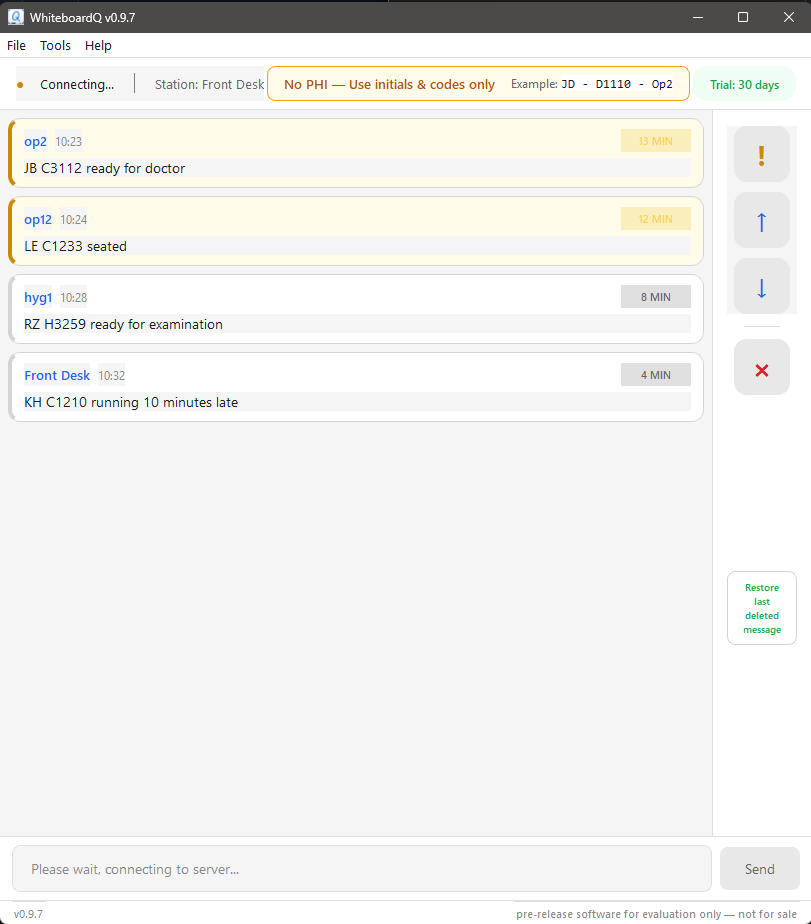
WhiteboardQ is taking shape. This week was about making it survive real world “small business IT”: weird networks, locked-down (and wide open) PCs, and “Front Desk server has to work for a non-techie”. Handed version 0.9.7 off yesterday to channel partner for a demo to our first dental client soon! In parallel to supporting real local clients through established channel partners, I am getting whiteboardq.com production ready to sell as a full B2C application (business-to-consumer… think “buy now” button, credit card, download your software").
This week (1/20-1/23) I worked on WhiteboardQ for 27 hours. Since I am a one-human show, I get to do design and implementation, documentation, and test. Other stuff too. The loop is tight, but it’s a large volume of work and lots of context switching. Here’s what I got done in the last three days:
Architecture
Split server manager into two separate executables (FrontDesk vs BackOffice) instead of runtime detection…
- FrontDesk: tray app, subprocess control
- BackOffice: stand alone app, Windows Service control
Server-authoritative config (thresholds, sounds moved from client to server. This is a much better “real world” fit than each client having its own configuration (Chaos!) Threshold times and sounds need to be consistent office wide.
Installers (Inno Setup)
Install/uninstall hygiene is what earns trust from end users and IT. First (and last) impressions matter a lot.
- FrontDesk installer (tray flavor)
- BackOffice installer (service flavor)
- Client installer
- Firewall rules baked in for ports 5000 (comms) and 5001 (discovery)
- Got all of the default settings “right” for real world scenarios (front desk = less technical, back office = IT pro)
- Pre-install notice for BackOffice explaining to IT staff about Windows Service + auto-start
- Uninstallers offer option to remove data files
- Servers require admin, client does not
- Wrote an IT tool to detect if WhiteboardQ files / service / registry keys / firewall rules are present.
Server Discovery
- UDP broadcast discovery (port 5001) - zero configuration
- Client broadcasts, server responds with IP
- Discovery enumerates all network interfaces, broadcasts on each interface’s broadcast address
- Works on dual-NIC, multi-homed, VPN systems
- Client reconnect on discovery implemented
- Logging added to client discovery (for initial setup debug)
Client UX
- Settings simplified: just IP/hostname and port, not wss:// format
- First-run wizard auto-detects server, sets hostname, allows override
- Auto-start on Windows boot (configurable)
- Auto-reconnect if server goes away
- Settings UI and About dialog cleanup
- –debug flag for verbose logging
- Logs to %APPDATA%\WhiteboardQ\logs\client.log
Server Manager UX
- New UI layout: License → Status → Logs → Thresholds & Sounds
- Threshold inputs are just integers (removed “minutes” from editable text)
- Green/yellow/red tray status icons
- UI sizing fixed (was unreadable on small displays)
- Admin warning for service start/stop in BackOffice mode
FrontDesk Server
- Windows mutex + RegisterWindowMessage broadcast
- Double-click shortcut while running in tray → brings existing window to front
Network and Firewall
Tested Multi-homed system network configurations for real world hardening
- Mix of wired, wifi, and VPN networks
- broadcast out through each adapter
- handle edge case of no server, multiple servers found
Allow any firewall profile - important for demos, industry standard, let IT lock down if needed
Testing
- Multiple code reviews on all 3 codebases (peer, security-focused, compatibility-focused, redistributable-focused…)
- Verified on Windows Server 2019+ (full support)
- Windows Server 2012 (and earlier) NOT supported in mainline product, but will offer white glove support for channel partners for 2012).
- Multi-homed / VPN systems tested with various firewall configurations
- Tested on 6 different Win10/11 systems ranging from potato to my gaming rig. All performed great.
- Slow, busy, error conditions on network tested
- 113 automated unit / function tests all passing
- Load test: 60 clients × 10 msgs/min × 10 min. Even “Wipe all messages” + “Restore all messages” (worst case) stayed stable.
Documentation
- End user readmes created
- Updated spec for iterative changes during test / code review loop